ChatGPT’s Intelligent UI turns answers into diagrams, maps and working tools
With GPT-6, ChatGPT now decides when a reply should be a tappable diagram, a map, a form or a small calculator instead of paragraphs — and builds it as it answers.
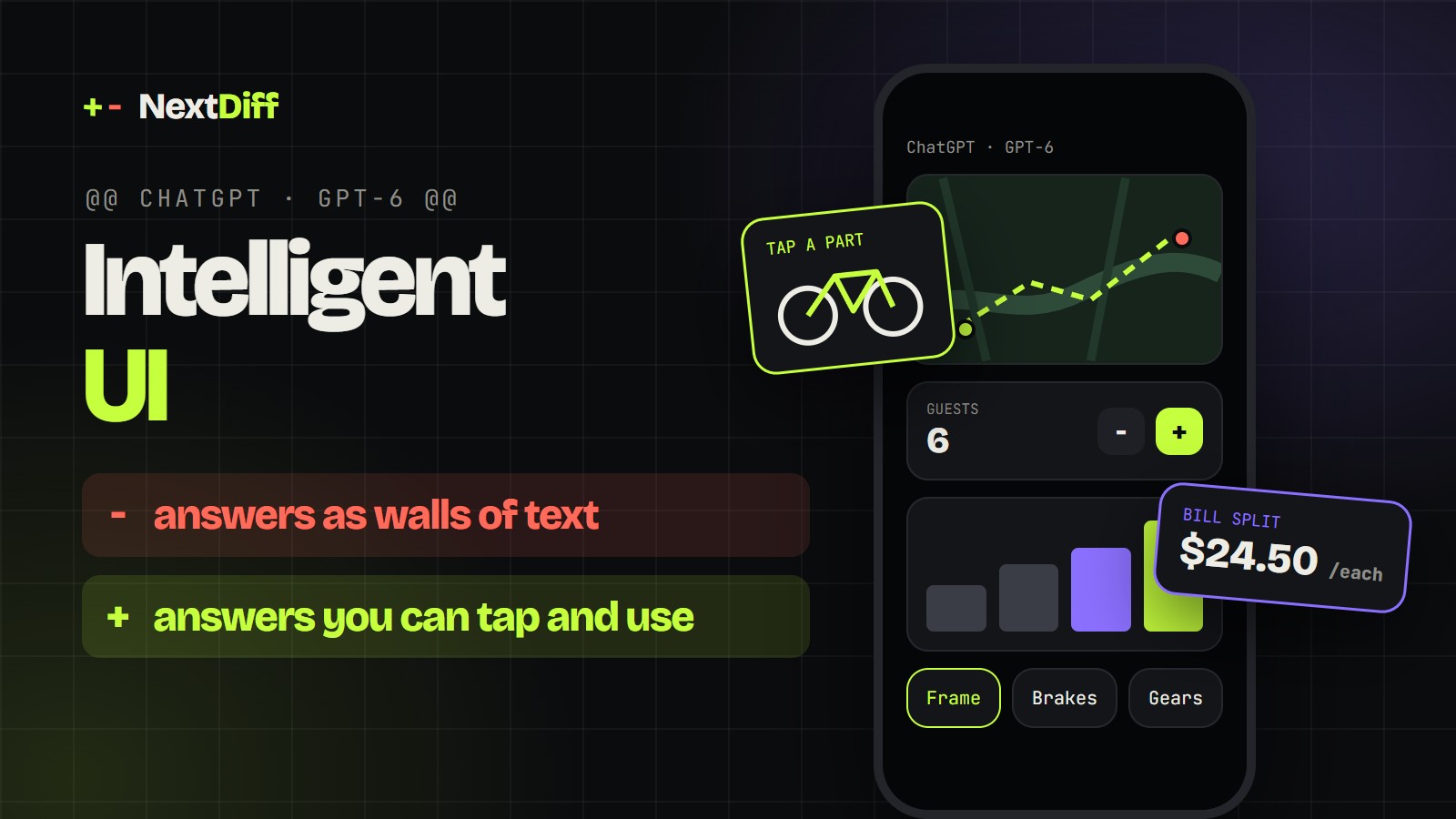
OpenAI began rolling out Intelligent UI in ChatGPT with GPT-6 on October 7, 2026. Answers can now include interactive diagrams, maps, forms, charts and small tools that ChatGPT builds from a library of native components as it responds. Paid users got it first; Free and Go users followed on October 8.
Since ChatGPT launched in 2022, asking it something has mostly meant getting a wall of text back. That changed this week. With ChatGPT Intelligent UI, which OpenAI began rolling out with GPT-6 on October 7, answers can arrive as tappable diagrams, maps, forms, charts and small working tools that ChatGPT builds on the spot, then adjusts as you use them. Ask how a bike fits together and you get a diagram you can click part by part. Plan a dinner and the shopping list rescales when you change the number of guests.
OpenAI's own framing is blunt. "ChatGPT has predominantly been a text-based interface," product manager Aarush Selvan told TechCrunch, but "the most helpful answers aren't just text." OpenAI's launch film closes on a single line: "Sometimes words aren't enough."
Watch our 36-second breakdown, with clips from OpenAI's launch film:
What is ChatGPT Intelligent UI?
Intelligent UI is a new way for ChatGPT to format its answers. Instead of always replying in paragraphs and bullet points, the GPT-6 models in ChatGPT can mix text with graphics, tappable buttons, forms, charts and interactive experiences, choosing the format to suit the question, according to OpenAI's announcement.
The model decides for itself. A comparison might be laid out side by side; an explanation might become an interactive diagram; a simple factual question still gets a simple text answer. "When a simple text answer is most useful, ChatGPT can give you that," OpenAI says in its developer-forum post. You can also ask for an interface outright, and ChatGPT will build one.
OpenAI groups what it can do into four kinds of answer:
- Explore ideas: interactive visuals for examining how something works.
- Create tools: a game, a calculator or a bill splitter, built on request inside the chat.
- Learn concepts: explanations where you change an input and watch what happens.
- Adjust the answer: controls inside a response that let you tailor it without typing a new prompt.
This is not ChatGPT's first step away from plain text. It already had interactive charts (added in June) and interactive modules for more than 70 maths and science topics (added in March), Search Engine Journal notes. The difference now is scope: instead of a few pre-built formats, the model composes an interface for almost any answer where one helps.
The examples OpenAI showed
OpenAI's demos are deliberately everyday. Here is what it showed, across its announcement, its press briefing and its 70-second launch film.
A 7-speed bicycle. The headline demo is an interactive breakdown of a bike, where five connected systems — frame, wheels, drivetrain, brakes and cockpit — can each be selected to explore the role it plays, Unite.AI reports. In the film, someone assembling a bike from a box swaps a dense paper manual for a diagram on their phone.
A Sunday lamb roast. OpenAI ran the same request through the old and new models. GPT-5.6 Instant returned a text-heavy plan. GPT-6 Instant returned a visual plan with images of each dish, a shopping calculator that adjusts to the number of guests, and a cooking timeline formatted as a checklist. The dish images appear to come from OpenAI's image model, Gizmodo observed.
A city guide on a map. In the launch film, a visitor to San Francisco trades a folded paper city guide for an answer laid out as a map with neighbourhood picks and photos. OpenAI also lists a road-trip plan shown on a map among its examples, and TechCrunch saw a map for a multi-day hiking trip.
Paint colours and paper folding. The film shows someone choosing between paint swatches by seeing the colours on a room's walls, and someone learning an origami fold from an interactive diagram rather than numbered written steps.
Small tools, on demand. OpenAI's examples of tools you can ask for include a dinner bill splitter, a savings-growth calculator and a game you can play inside the conversation.
Learning by poking. A college student's prompt — "explore how an airplane wing generates lift" — produced several diagrams explaining how planes stay aloft, TechCrunch reports.
The common thread: each task is one where people already reach for something other than prose — a diagram, a map, a spreadsheet, a calculator. Intelligent UI tries to hand them that thing directly.
How does Intelligent UI work?
OpenAI has shared the outline, not the internals. Three pieces stand out.
A component library. OpenAI built a library of native, streamable interface components that gives every generated interface a consistent design foundation, according to Unite.AI's summary of the announcement. The model was trained on these components, SiliconANGLE reports. In other words, GPT-6 is not writing a fresh web app from scratch for each answer; it is assembling answers from a known set of parts.
A compiler that renders while the model writes. "A library of native components and a compiler display the interface as the model generates it," OpenAI says. The interface appears progressively, piece by piece, instead of popping in after the full response is finished.
Training for design decisions. OpenAI says it expanded training to cover decisions about content, layout, visuals and interaction, and evaluated generated interfaces for clarity, usefulness and completeness. It also concedes that work remains on the model's design judgment and on expanding what it can create.
Speed is part of the pitch. GPT-6 can start answering while it is still thinking or using tools. For questions that need a web search, OpenAI says GPT-6 Instant starts answering 44% sooner on average than GPT-5.6 Instant — a measure of time to the first words, not total completion time.
Interestingly, OpenAI has been building this for a while. RuntimeWire reports it found an underlying interactive-answer system in ChatGPT on August 26, six weeks before launch, including hundreds of versioned "Learning Block" component types — though it did not establish that system's link to the Intelligent UI branding or GPT-6.
Who gets Intelligent UI, and can you turn it off?
Intelligent UI arrived in the Chat tab in two waves:
- October 7: Plus, Pro, Business and Enterprise users, powered by GPT-6 Sol. Enterprise availability depends on workplace administrators turning it on.
- October 8: Free and Go users, powered by GPT-6 Luna.
GPT-6 replaces the "Latest" option in the model menu, and GPT-5.6 Sol remains available separately. Intelligent UI rolls out gradually on the web and in updated apps, at thinking levels from Instant to Extra High. There are exceptions: Pro thinking, which runs on GPT-6 Astra, does not support it, and neither do older ChatGPT desktop apps for macOS and Windows, Search Engine Journal reports. The models behind ChatGPT's Work and Codex experiences are not changing in this release.
If you would rather keep your answers plain, you can dial the visuals back. On the web, a "Layout and visuals" setting turns the feature off, though OpenAI says some visual elements may still appear.
How is it different from Google's generative UI?
Google got here first, at least in name. With Gemini 3 in November 2025, Google introduced generative UI: interactive tools and simulations built for a specific question, shown as "dynamic view" and "visual layout" experiments in the Gemini app and as custom interfaces in Search's AI Mode for paying subscribers in the US. Google's research post describes Gemini 3 using its agentic coding abilities to generate these bespoke interfaces on the fly.
The two approaches differ in an important way, at least as each company describes them. Google leans on the model writing custom code per prompt, which allows wilder, more varied results. OpenAI leans on a fixed library of native components assembled by the model and rendered by a compiler, which trades some freedom for consistency, speed and a recognisable ChatGPT look.
Neither approach has proved itself commercially yet. SiliconANGLE notes that Google's version drew attention but did not clearly set Gemini apart. Holger Mueller of Constellation Research told the outlet that "usability is one of the primary factors driving adoption of software" and predicted that Anthropic will face pressure to respond, possibly within days or weeks.
The open questions
Intelligent UI raises fair concerns that OpenAI has not fully answered.
Cost. Richer answers likely use more tokens. OpenAI has not said whether the feature increases token consumption, and Gizmodo warns that it "could easily burn through people's tokens faster."
New ways to be wrong. A wrong number in a paragraph is easy to question. A wrong number inside a polished calculator or chart looks authoritative. Gizmodo calls the visual layer "a whole new layer of opportunity for hallucinations," and SiliconANGLE says it is unclear how prone the visual elements are to errors.
Where the sources go. When an answer becomes a chart or a tool, it is not yet clear how prominently ChatGPT will credit the websites it drew from. Citations may sit behind a Sources button, Search Engine Journal points out, so how visible publishers will be in these formats is unproven.
Timing. The launch landed in the same week OpenAI announced image-based ads in ChatGPT responses, Gizmodo notes. A more visual ChatGPT is also a more ad-friendly one.
What Intelligent UI means for builders
If you build products, publish on the web or design interfaces, a few practical shifts follow.
- Simple tools are now a prompt away. Calculators, converters, bill splitters and planners are exactly what ChatGPT now builds on demand. If your product or traffic depends on a simple utility page, assume users can get a "good enough" version without leaving the chat, and compete on depth, data or trust.
- Design for being rendered, not just read. Clean, structured facts — prices, specs, steps, dates — are easier for a model to turn into a table, a checklist or a chart than prose buried in long paragraphs. Clear structure helps both readers and machines.
- Test your own topics. Ask ChatGPT the questions your customers ask and see what format it chooses. If it now answers with an interactive tool, that is the experience your product is being compared with.
- Watch the platform layer. OpenAI already lets developers bring their own interfaces into conversations through apps in ChatGPT. Intelligent UI shows how far ChatGPT can go with its own components; the line between "built-in answer" and "third-party app" is worth watching.
- Keep a text path. OpenAI kept plain-text answers and a way to turn visuals down. Accessibility, search engines and AI answer engines still depend on text, so anything you build visually should still make sense as words.
The bigger idea behind the launch is that software can shape itself around the task in front of you. OpenAI describes Intelligent UI as a step towards a future where "software will adapt to people." For now, it is a better answer format in a chat window. The interesting part is what happens when that format becomes the default way people expect computers to respond.
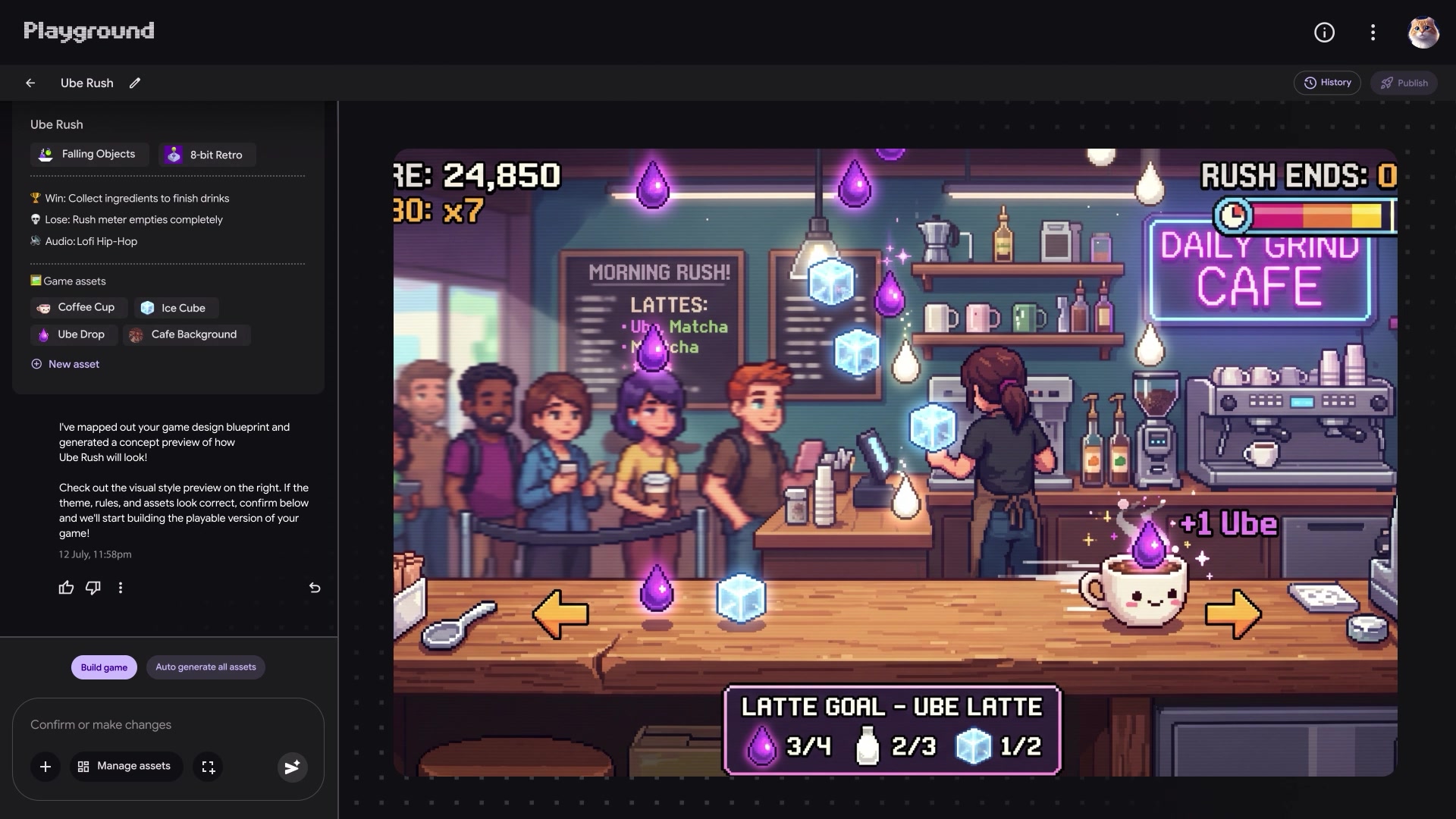
Generated, playable software is having a moment: see how Google's Playground turns a text prompt into a playable game, and why OpenAI's cheaper Sol models change the default model choice for developers.
Questions readers ask
- What is ChatGPT Intelligent UI?
- Intelligent UI is a feature of ChatGPT’s GPT-6 models that lets answers include graphics, tappable buttons, forms, charts and interactive tools instead of only text. ChatGPT chooses the format for each question, and still answers in plain text when that is most useful.
- Who can use ChatGPT Intelligent UI?
- It rolled out to ChatGPT Plus, Pro, Business and Enterprise users on October 7, 2026, powered by GPT-6 Sol, and to Free and Go users on October 8, powered by GPT-6 Luna. Enterprise access depends on workplace administrators.
- Can I turn off Intelligent UI in ChatGPT?
- Yes, partly. On the web, the “Layout and visuals” setting turns the feature off, though OpenAI says some visual elements may still appear.
- How does ChatGPT build interactive answers?
- OpenAI says a library of native, streamable interface components and a compiler display the interface as the model generates it, so it appears progressively. The model was trained to decide on content, layout, visuals and interaction.
- How is Intelligent UI different from Google’s generative UI?
- Google’s generative UI, launched with Gemini 3 in November 2025, has the model generate custom interfaces using agentic coding. OpenAI describes assembling answers from a fixed library of native components, which favours consistency and speed over open-ended variety.
+ Sources
- OpenAI — GPT-6 and Intelligent UI for everyone
- OpenAI on X — Intelligent UI launch film
- OpenAI Developer Community — GPT-6 and Intelligent UI in ChatGPT
- TechCrunch — ChatGPT is getting a lot more visual, with the launch of a new interface
- Gizmodo — OpenAI wants ChatGPT to stop looking like a chatbot
- SiliconANGLE — With GPT-6, ChatGPT’s responses are much more visually appealing and interactive
- Search Engine Journal — ChatGPT gets GPT-6 and Intelligent UI for interactive answers
- Unite.AI — OpenAI brings GPT-6 with Intelligent UI to all ChatGPT tiers
- RuntimeWire — OpenAI launches Intelligent UI in ChatGPT six weeks after GenUI report
- Google Research — Generative UI: a rich, custom, visual interactive user experience for any prompt
- OpenAI — Introducing apps in ChatGPT and the new Apps SDK
The Weekly Diff launches soon.
Subscribe on YouTubeKeep reading