Gmail ads: Google can now use your Gmail and Photos data for ads. Here's how to turn it off
A one-clause change to Google's privacy policy on 16 October lets insights from Gmail and Google Photos shape Search ads for anyone who connects them to Personal Intelligence.
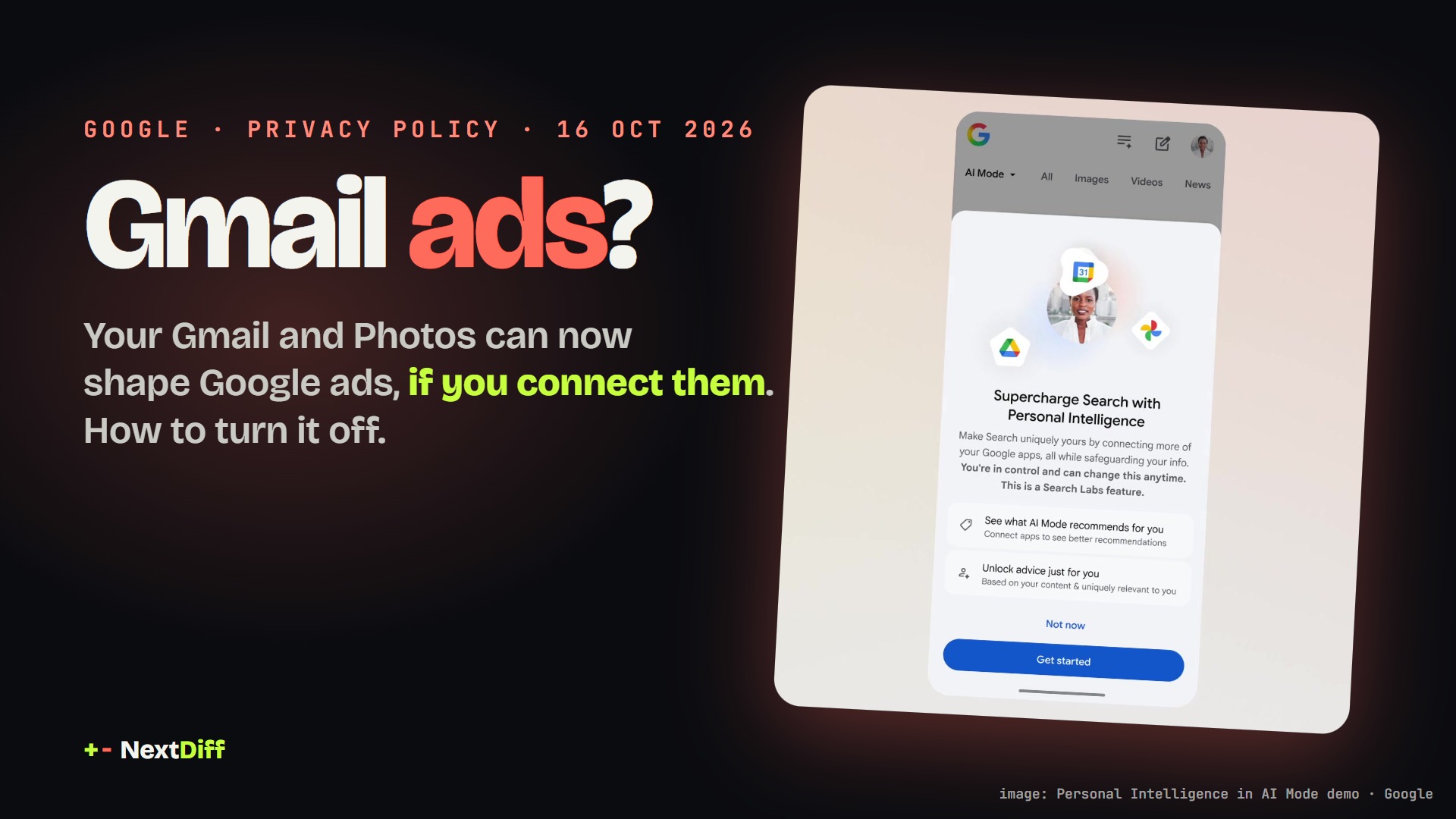
On 16 October 2026 Google changed its privacy policy so that content from Gmail, Drive and Google Photos can inform personalised ads when users connect those apps to Search through Personal Intelligence. Ads won't be built directly from your inbox, but AI-drawn summaries and inferences may be used. The feature is opt-in and can be disconnected.
Gmail ads are back in the conversation. On 16 October 2026 Google changed one sentence in its privacy policy. It used to say Google doesn't show you personalised ads based on your content from Drive, Gmail or Photos. It now adds an exception: unless you choose to make data from these services available to other Google services that support personalized ads. That covers people who connect Gmail or Google Photos to Search through Personal Intelligence, the feature that lets AI Mode read your inbox and photos to tailor its answers. Here's what changed, what didn't, and how to turn it off.
Our 28-second version:
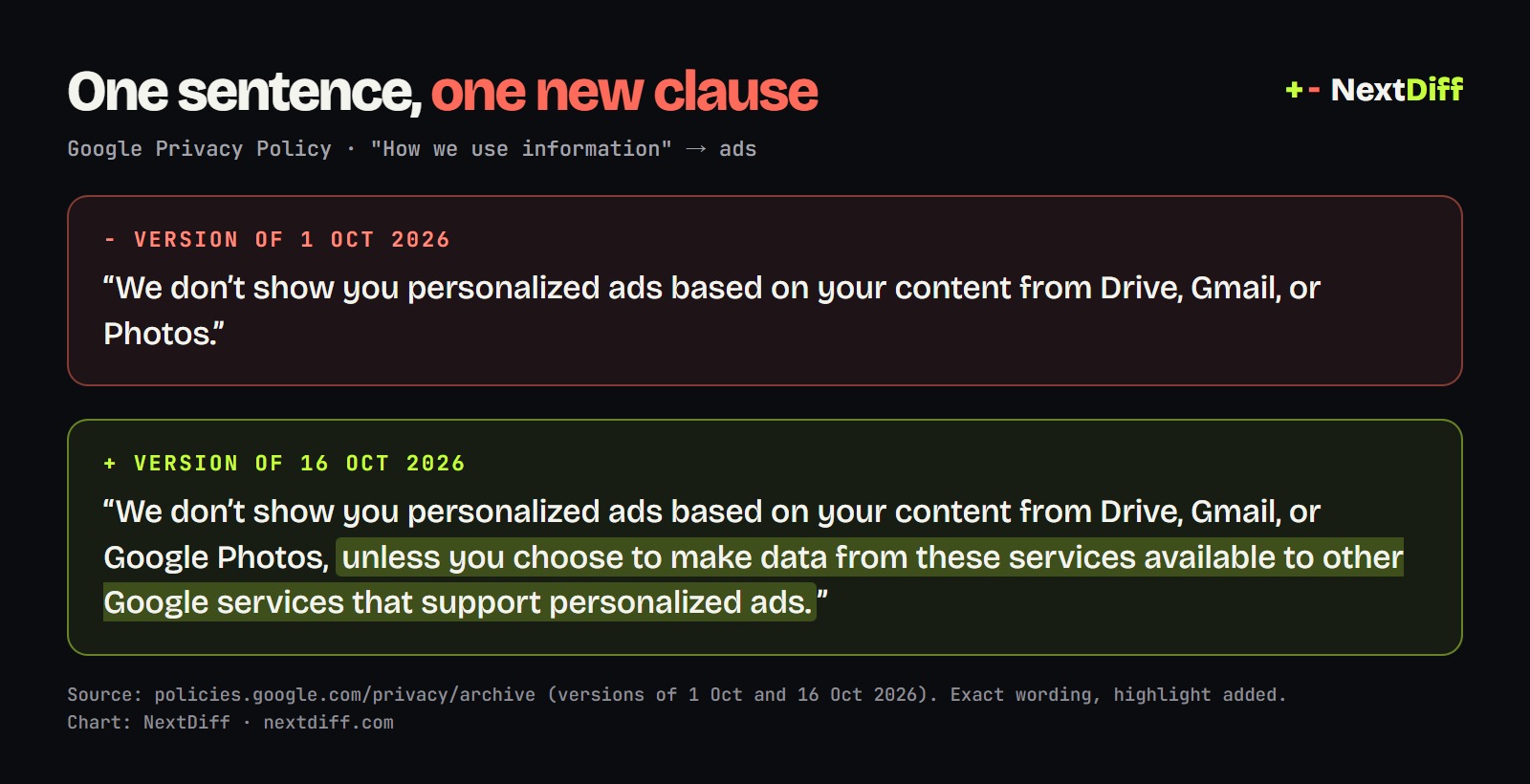 Graphic: NextDiff, using Google's exact wording from the policy archive
What changed in Google's privacy policy?
Since 2017 Google has said it won't show ads based on your Gmail messages. That line is still in the policy, but it's no longer absolute. Google's Search help page spells out the new deal. Ads won't be based directly on your Gmail inbox or Google Photos library. But summaries, excerpts and inferences that Search draws from those connected apps may be used to show you ads. Advertisers don't get access to your inbox or photos.
The timing isn't an accident. On the same day the policy changed, Google told Search Engine Land it was starting to test ads in AI Mode for users who connect their apps through Personal Intelligence, as reported by Relevant Audience citing Search Engine Roundtable. Google hasn't said which countries that test covers.
How does Personal Intelligence use your Gmail?
Personal Intelligence launched in AI Mode in January. Once you connect Gmail, Google Calendar or Google Photos, every Search service can look at that content, including AI Mode, Maps, Shopping, Flights and Hotels. Google's own demo shows how personal it gets. Ask for "activities for our family getaway" and AI Mode answers with the hotel you booked, pulled from a confirmation email.
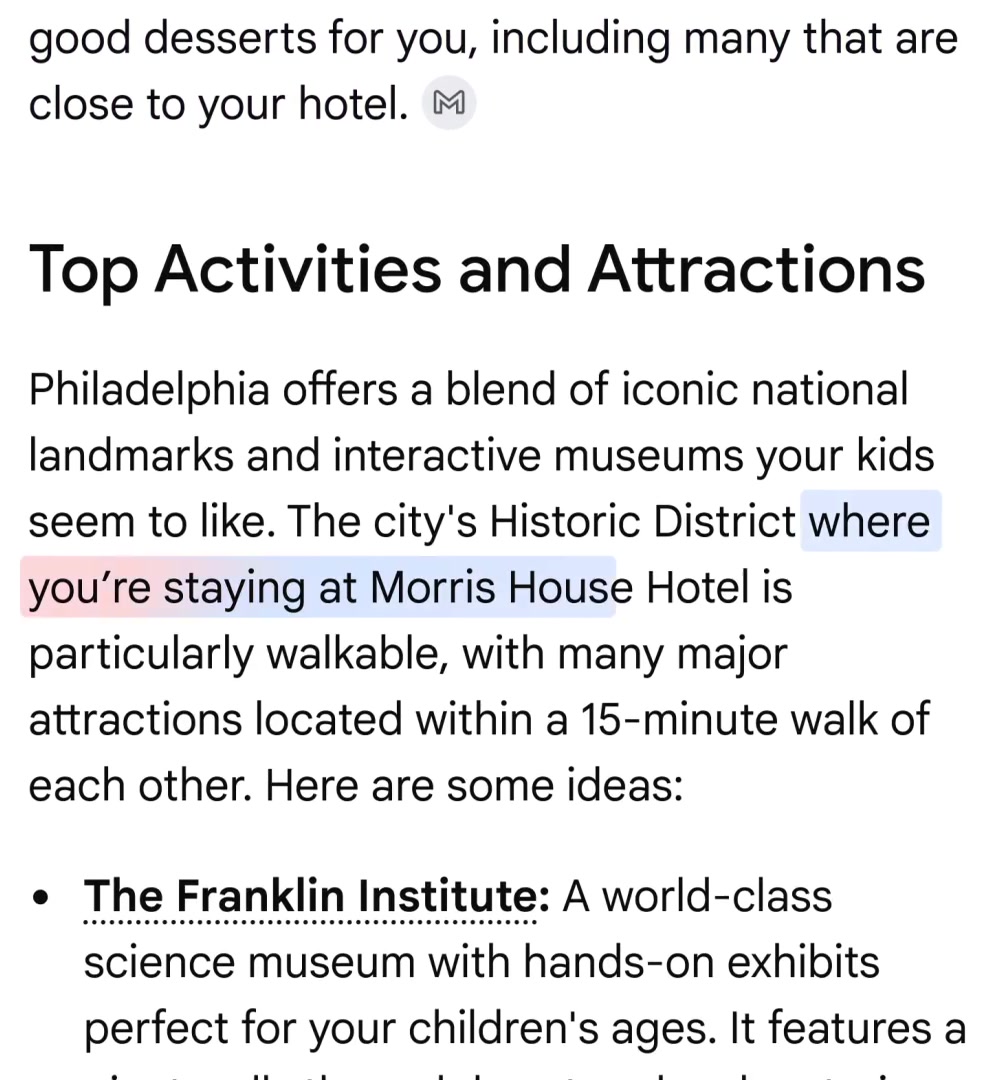 Image: Google (Personal Intelligence in AI Mode demo, press video)
That's the useful part. The catch is that the same "inferences" (you have kids, you're travelling in March, you like a brand) can now also feed the ads you see in Search.
Is it turned on by default?
No. Connecting your apps is opt-in. You see a "Supercharge Search with Personal Intelligence" card and have to tap Get started, and you can still use AI Mode without connecting anything. 9to5Google notes that it stays opt-in "for the time being". Google says connecting apps is open to people aged 18 and over in many countries across the Americas, Asia-Pacific and EMEA. Its help page also lists India (in English) among the countries where Ask Maps can personalise answers from Gmail.
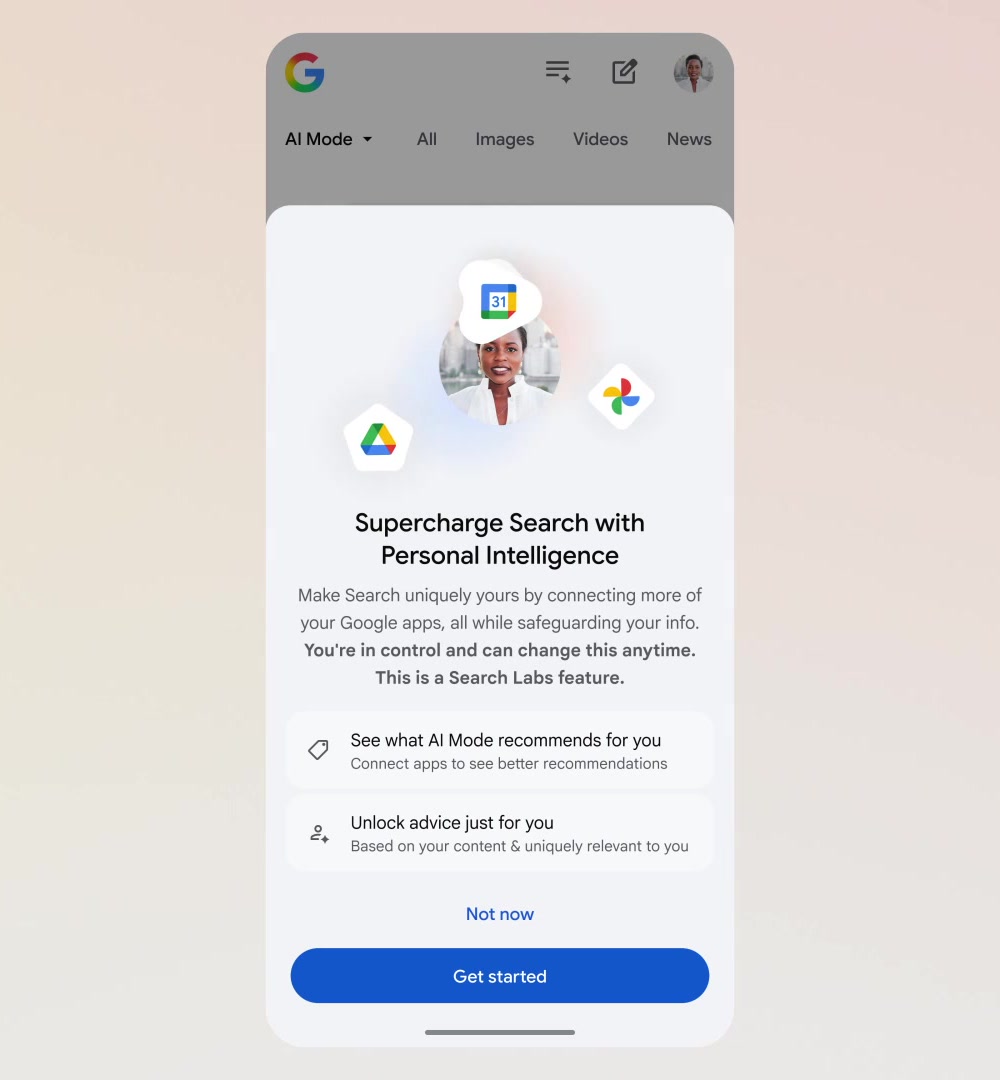 Image: Google (Personal Intelligence sign-up, press video)
Gmail ads: how to turn it off
If you connected Gmail or Photos, or you aren't sure, here's how to check. The steps come from Google's help page and from Techlicious.
- Open your Google Account → Data & privacy → Personalization settings, then Search services personalization.
- Under Additional Personal Intelligence, open Connected content apps and disconnect Google Workspace (Gmail, Calendar) and Google Photos.
- On the same page, turn off Personalized recommendations if you don't want Search to tailor results at all.
- In Gmail on the web, go to Settings → See all settings → General → Google Workspace smart features to control which Google products can use your Gmail data.
- Go to My Activity and delete your Search services history. Disconnecting an app doesn't erase what was already collected.
One thing that surprises people: turning off personalised ads in My Ad Center is a separate switch. It stops ad personalisation, but Techlicious notes it doesn't stop connected-app data being used to personalise AI answers.
Why it matters
Gmail is many people's most private archive: bank alerts, medical bookings, tickets, receipts. For nine years "Google doesn't use your email for ads" was a simple rule. Now it's a rule with a condition, tied to AI features Google is pushing hard. AI assistants that act for you need this kind of access, which is why the question matters well beyond Google. Our explainer on what AI agents are covers how these assistants plan and use your apps.
Fast Company argued in July that Personal Intelligence was laying the groundwork for this. At the time, a Google spokesperson said using it to target ads was "not the case today". The policy now allows it for people who opt in.
What's next
Watch three things. Which countries get the AI Mode ads test. Whether the opt-in stays opt-in. And how regulators read it, especially in the EU, where Google's policy already treats "linking services" as a separate choice. If you never connected Gmail or Photos to Search, nothing changes for you today.
Questions readers ask
- Does Google use Gmail for ads now?
- Not directly. Since 16 October 2026 Google's policy allows summaries and inferences drawn from Gmail and Google Photos to shape ads, but only for people who connect those apps to Search through Personal Intelligence. Advertisers never see your emails.
- How do I turn off Gmail ads personalisation?
- Open Google Account, then Data & privacy, Personalization settings and Search services personalization. Disconnect Google Workspace and Google Photos under Connected content apps, turn off Personalized recommendations, and delete your Search services history in My Activity.
- Is Personal Intelligence on by default?
- No. You have to choose to connect Gmail, Calendar or Photos, and you can use AI Mode without connecting them. Google says connecting apps is for users 18 and over.
- Does turning off ads in My Ad Center stop it?
- Turning off personalised ads in My Ad Center stops ad personalisation, but it is a separate setting. Connected-app data can still be used to personalise AI answers until you disconnect the apps.
- When did Google change its privacy policy?
- The new version took effect on 16 October 2026, replacing the version of 1 October 2026. Google's policy archive shows both texts.
+ Sources
- Google — Privacy Policy (16 Oct 2026)
- Google — Privacy Policy archive and version comparisons
- Google Search Help — Connect Workspace and Google Photos to Search services
- Google — Personal Intelligence in AI Mode (Jan 2026)
- 9to5Google — Google will target ads based on Gmail, Photos data if Personal Intelligence is enabled
- Techlicious — Google can now use insights from your Gmail and Photos to target ads
- Fast Company — Google promised not to show ads based on your emails. AI could undo that
- Relevant Audience — Google tests ads in AI Mode for Personal Intelligence users
+ Rate this story
Get stories like this on your phone, the minute they drop.
 Scan with your Android phone
The Weekly Diff launches soon.
Subscribe on YouTubeKeep reading