ChatGPT Images 2.6: GIFs from a prompt, faster images and the same API price
OpenAI's new image model animates a prompt, photo or sketch into a loop, and its token prices match Images 2.5. The speed claim needs a closer look.
OpenAI launched ChatGPT Images 2.6 on 4 November 2026, adding animated GIFs, reusable reference images and faster generation in ChatGPT, Codex and the API. OpenAI says images generate 50% faster. API token prices match Images 2.5, and its system card warns that motion-related violations remain hard to detect.
Until this week, ChatGPT could not make a GIF in one step. ChatGPT Images 2.6, launched by OpenAI on 4 November, changes that: type a prompt or upload an image, and it returns a looping animation you can speed up, slow down or fix frame by frame. OpenAI also says images now generate 50% faster, while the list price in its API stays where Images 2.5 left it.
OpenAI says people now make 4 billion images a week across ChatGPT, Codex and the API. The Next Web notes that the figure was 3 billion in September, and that it counts all image use, not only GIFs.
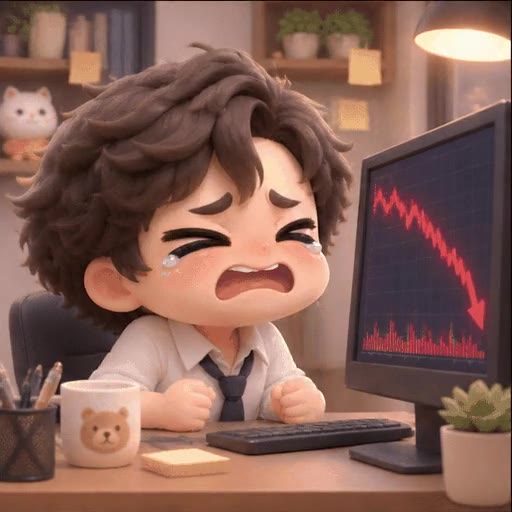 Image: a frame from a GIF created by OpenArt with Images 2.6 (OpenAI announcement)
What's new in ChatGPT Images 2.6?
- GIFs. OpenAI's launch post on X says you can turn a prompt or image into an animated GIF, adjust the speed, edit individual frames and share it.
- Reference images. OpenAI says you can keep images of yourself, pets or characters ready to reuse without uploading them again, as quoted by TestingCatalog.
- Speed. OpenAI's headline claim is 50% faster generation.
- Developer tools. The API gains image markup for pointing at the exact spot to change, SVG export, and a complexity setting that controls how much the model plans before it draws.
OpenAI says Images 2.6 is available globally in ChatGPT and Codex across all subscription tiers, on desktop, mobile and web. Its post does not list GIF limits per plan.
How do the GIFs work?
This is not a video model. The Decoder describes the output as several slight variations of a character strung together flipbook-style. The prompts OpenAI published from OpenArt show the same idea from the other side: they ask for a "sprite sheet" of exactly six frames in a three-by-two grid, with the sixth frame leading back into the first.
That is why consistency matters so much here. If the character drifts between frames, the animation falls apart, and OpenAI pitches 2.6 on keeping characters and product details steady as you edit.
OpenAI's API guide puts numbers on it. A GIF request takes 2 to 64 frames and 20 to 2,000 milliseconds per frame. The default is 9 frames at 200 milliseconds, a 1.8-second loop. On paper the maximums multiply out to 128 seconds, but every request must also fit the model's size limits and a total pixel budget, so treat these as short loops.
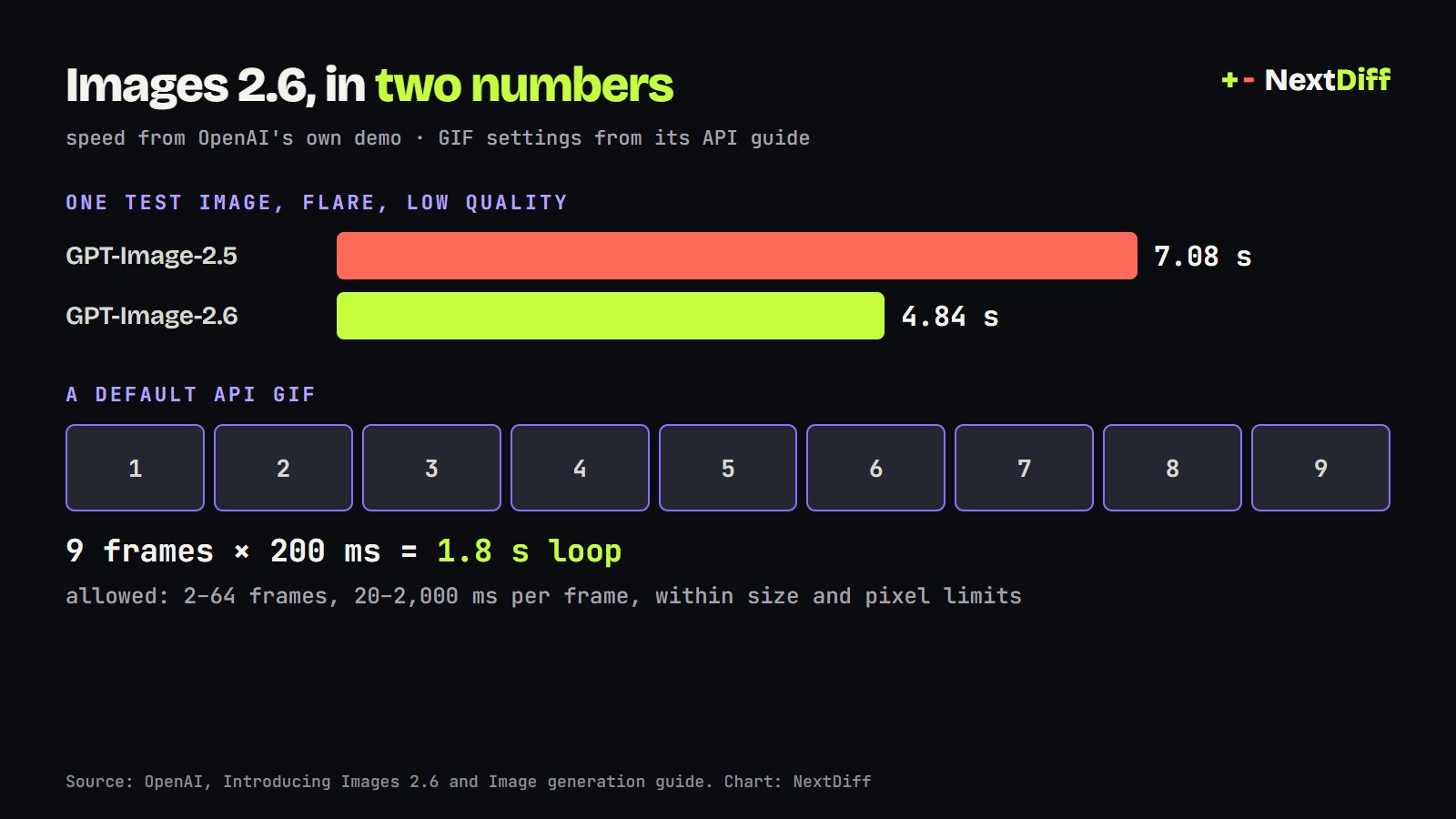 Chart: NextDiff, from OpenAI's demo and API guide
Two limits developers should know: GIF output works only on the generation endpoint, not the image edit endpoint, and it does not support streaming or partial images. SVG output is also generation-only.
The sketch route is the one to try first. OpenAI shows a rough pen drawing of an owl turned into an animated character.
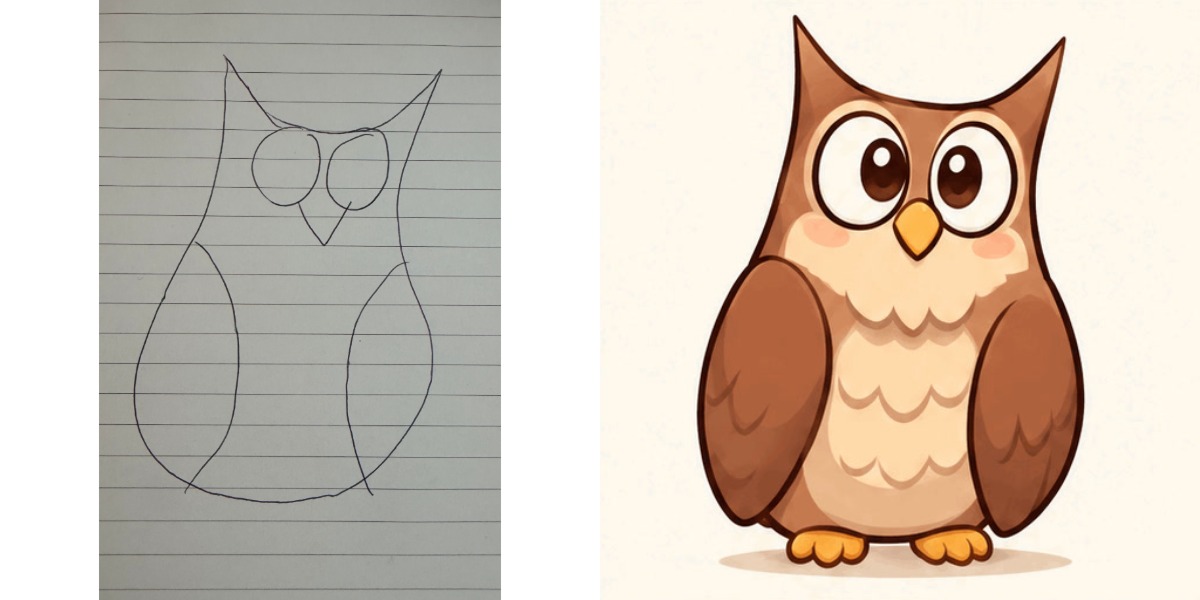 Image: OpenAI, from its Images 2.6 announcement
What does "50% faster" actually mean?
OpenAI's comparison video gives one concrete case: a luxury travel ad on Flare at low quality took 7.08 seconds on 2.5 and 4.84 seconds on 2.6. OpenAI labels that "46% faster".
That is speed, not waiting time. The clock dropped by about a third, not by half. It is also one image from OpenAI's own demo, not an independent benchmark. The same post says Flare can generate images "in as little as six seconds" at low quality, so expect real timings to vary with the prompt. The API guide adds that complex prompts may take up to two minutes.
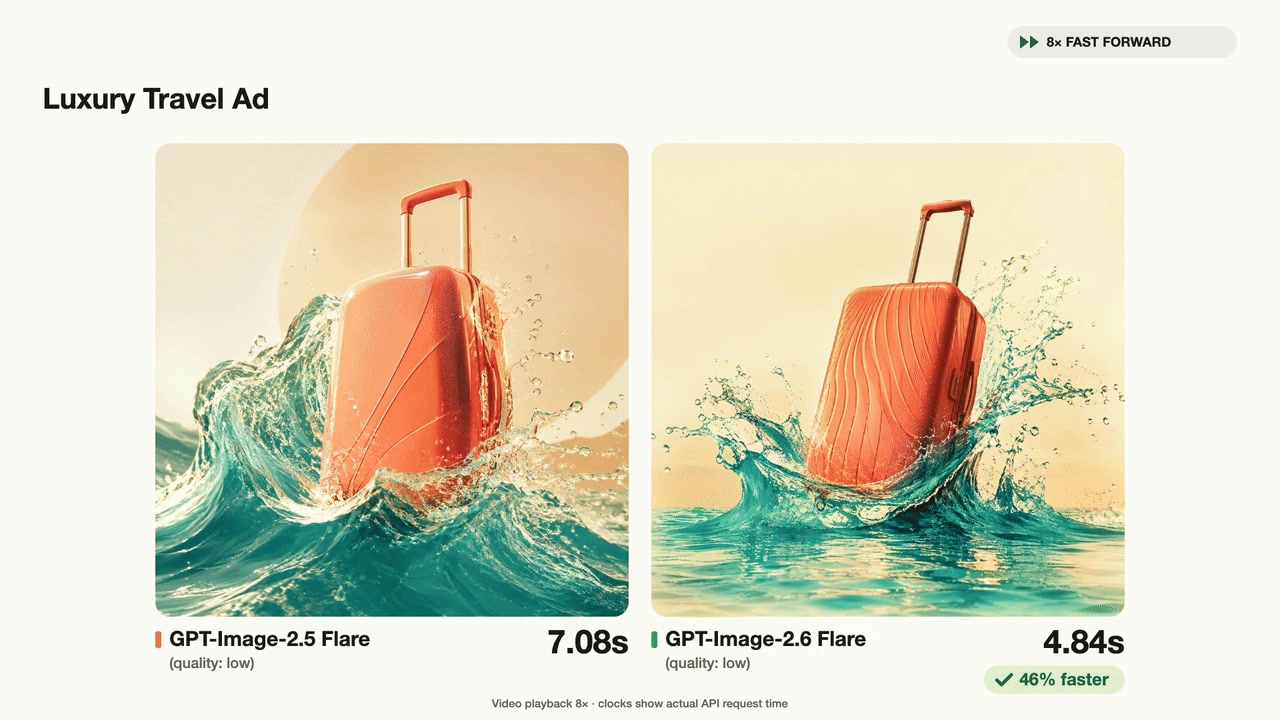 Image: OpenAI, from its Images 2.6 announcement
How much does GPT-Image-2.6 cost?
OpenAI's pricing page lists Flare and Sunburst at the same rates as their 2.5 versions: $8 per million image input tokens, $30 per million image output tokens, and $5 per million text input tokens. Pricing is by token, and the page points to a calculator in the guide for per-image estimates. It does not give a price per GIF, and we have not measured one.
So the choice between the two is about the job, not the bill. OpenAI positions Flare for fast work and layouts such as posters and product shots, and Sunburst for detail and consistency across edits.
If you are comparing the wider products rather than the image tool, read our Gemini vs ChatGPT guide.
What are the caveats?
Motion creates a new moderation problem. OpenAI's system card says GIFs bring risks that may not show in a single still, including harmful meaning conveyed across frames. It adds that motion-related violations "remain challenging to detect" and that safeguards may not catch them all.
In a test of 3,077 adversarial prompts, unsafe images that got past moderation rose from 1.49% to 2.14% on Flare and fell from 1.92% to 1.72% on Sunburst. OpenAI says neither overall change was statistically significant, and that the set does not reflect normal use.
The guide also still lists older weak spots: precise text placement and keeping recurring characters consistent across generations.
What's next?
Press reports describe a rollout, so the option may take time to reach every account. With Diwali on 8 November, festive greetings are an obvious first test for readers in India. The more telling test comes later: whether brands and app makers put these loops into real products. OpenAI already points to Town, a startup using an animated character as a typing indicator in its work assistant.
Questions readers ask
- What is new in ChatGPT Images 2.6?
- Animated GIFs from a prompt or image, reference images you can save and reuse, and faster generation. In the API, OpenAI also adds SVG output, image markup and a complexity setting.
- How do I make a GIF in ChatGPT?
- Ask for one in a normal chat, for example "Can you make a gif of a cat dancing?", or upload a photo or sketch and ask ChatGPT to animate it. You can then change the speed, edit single frames and share the result.
- Is ChatGPT Images 2.6 free?
- OpenAI says it is available across all ChatGPT and Codex subscription tiers on desktop, mobile and web. Its launch post does not list GIF limits for each plan, so how many you can make may differ.
- How long can an Images 2.6 GIF be?
- In the API, a GIF can have 2 to 64 frames at 20 to 2,000 milliseconds per frame, within the model's size limits and pixel budget. The default is 9 frames at 200 milliseconds, a 1.8-second loop.
- What is the difference between GPT-Image-2.6 Flare and Sunburst?
- Flare is built for speed and, according to OpenAI, can produce an image in as little as six seconds at low quality. Sunburst aims for more detail and more consistent edits at medium or high quality. Both have the same list price.
+ Sources
- OpenAI — Introducing Images 2.6
- OpenAI — ChatGPT Images 2.6 System Card
- OpenAI — Image generation guide (GIF, SVG and complexity settings)
- OpenAI — API pricing
- OpenAI on X — GIFs in ChatGPT Images 2.6
- The Decoder — ChatGPT can now turn text prompts and photos into animated GIFs
- The Next Web — ChatGPT can now make animated GIFs with OpenAI's Images 2.6
- TestingCatalog — OpenAI launches Images 2.6 with GIFs and image reference
+ Rate this story
Get stories like this on your phone, the minute they drop.
 Scan with your Android phone
The Weekly Diff launches soon.
Subscribe on YouTubeKeep reading